
Bookkeeping for small businesses
Your books, already on the lines of your tax return.
Other bookkeeping software sorts money into its own categories, and someone translates them into the tax return at the end of the year. In TAXLine Books every account sits on its IRS line from day one, so you see your return taking shape all year.
No card needed. After the free month: Free, or Full for $10 a month.
Why tax lines
The tax return is where your books end up. So start there.
Every business files a return: Form 1120, 1120-S, 1065 or Schedule C. Its lines are fixed by the IRS. When your chart of accounts follows those lines, year end is a report, not a project — and you know where you stand every month.
| TAXLine Books | Typical bookkeeping software | |
|---|---|---|
| Where an account goes on the return | Chosen when you create it: every account sits on its IRS line | Worked out at year end, usually by your accountant |
| Seeing the books as the return will look | Tax Lines by Year, any time, one column per year | Exported and rearranged in a spreadsheet |
| Account types | The return’s own sections: Schedule L, deductions, cost of goods sold… | The software’s own categories |
| Meals and other partly deductible costs | Kept at full cost; the 50% that is not deductible is shown on its own line | Split by hand at tax time |
| Starting a new set of books | From last year’s return: balances and accounts read from the PDF | Opening balances typed in by hand |
| Getting transactions in | Your PDF bank and card statements, checked to the cent | Usually a live connection to your bank login |
Features
Everything a small business needs, nothing it doesn’t.
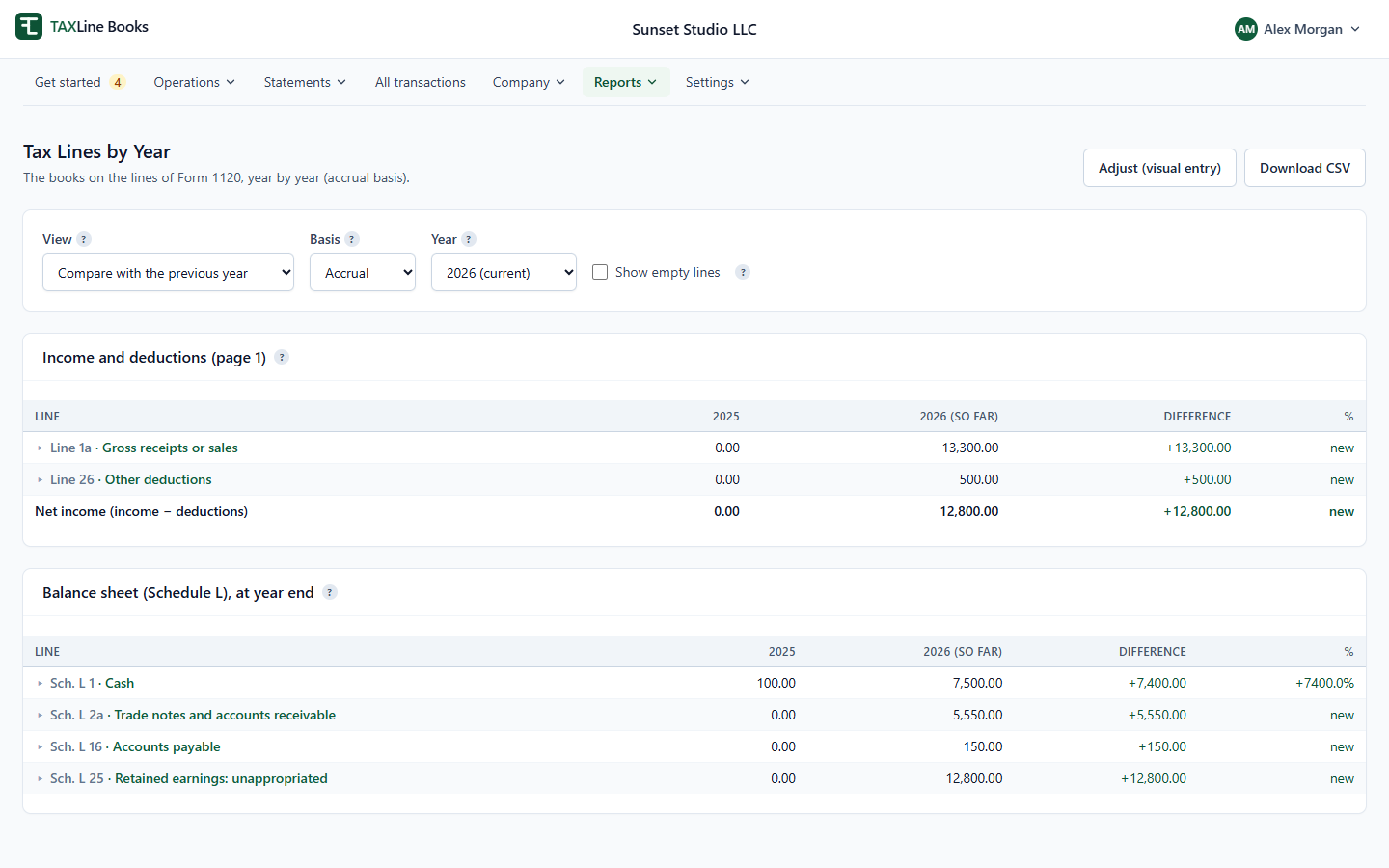
Tax Lines by Year
Your books laid out on the lines of your return (Form 1120, 1120-S, 1065 or Schedule C), one column per year. Compare a year with the one before, open any line to its accounts and transactions.
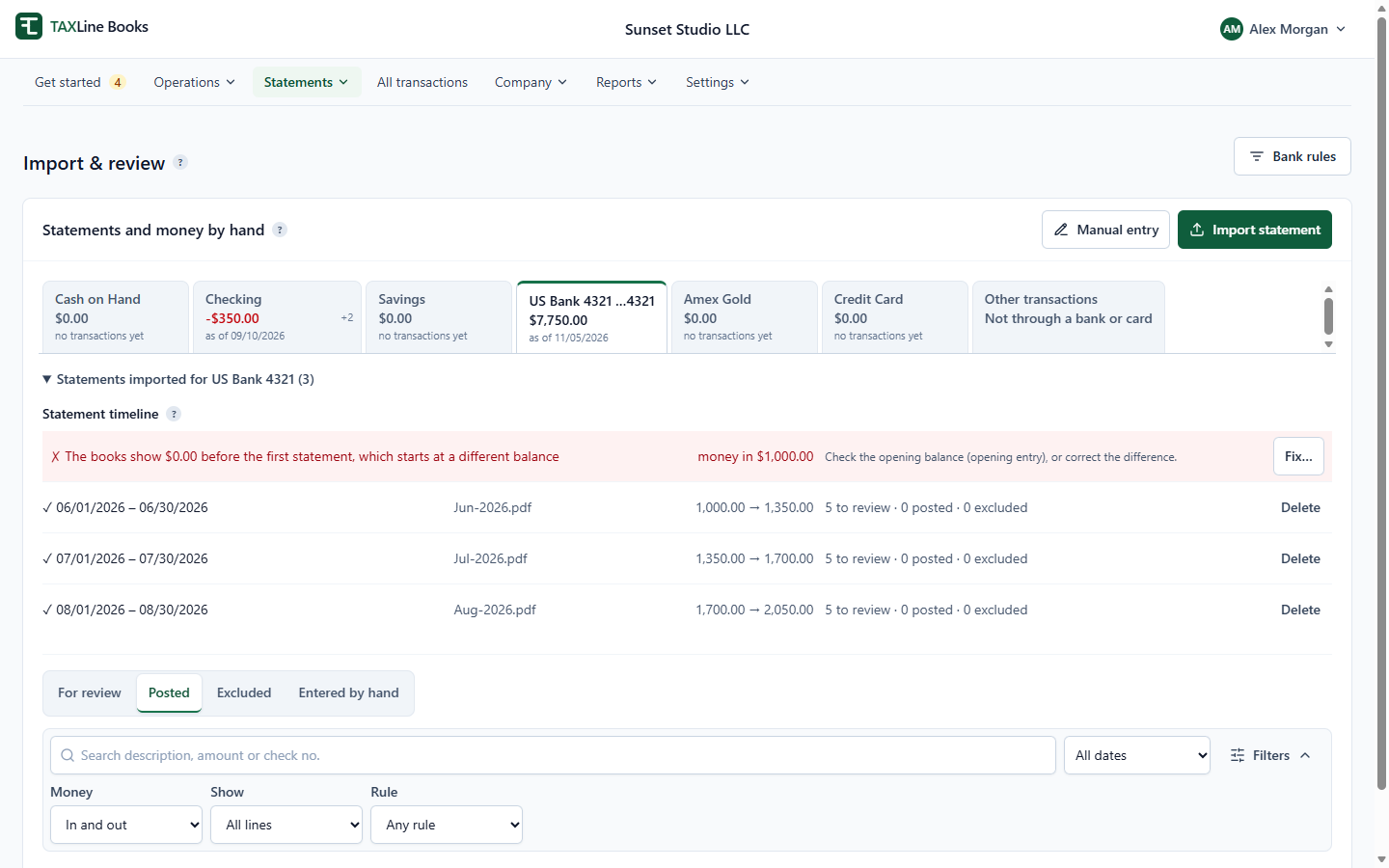
Bank and card statements, no bank login
Drop in the PDF statements you already get. They are read in your browser (the file is never uploaded), checked against the statement’s own totals, and every line waits for you to review: categorize, match an invoice or bill, split, or let a rule do it.
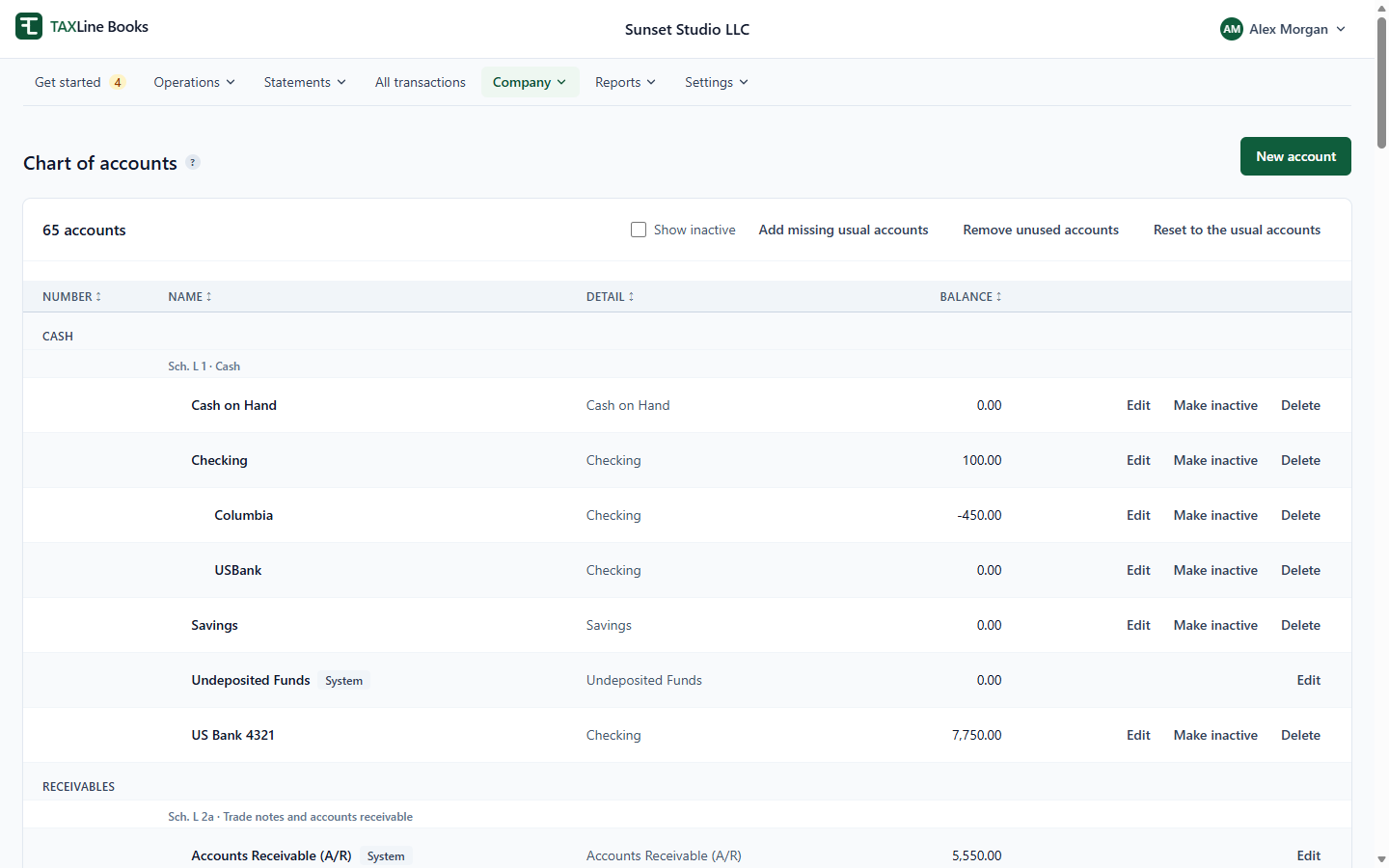
A chart of accounts that is the tax return
Pick the IRS section, then the line the account goes under. Sub-accounts roll up into their line. The return’s line is always shown next to the account, so nothing is left “unmapped” at year end.
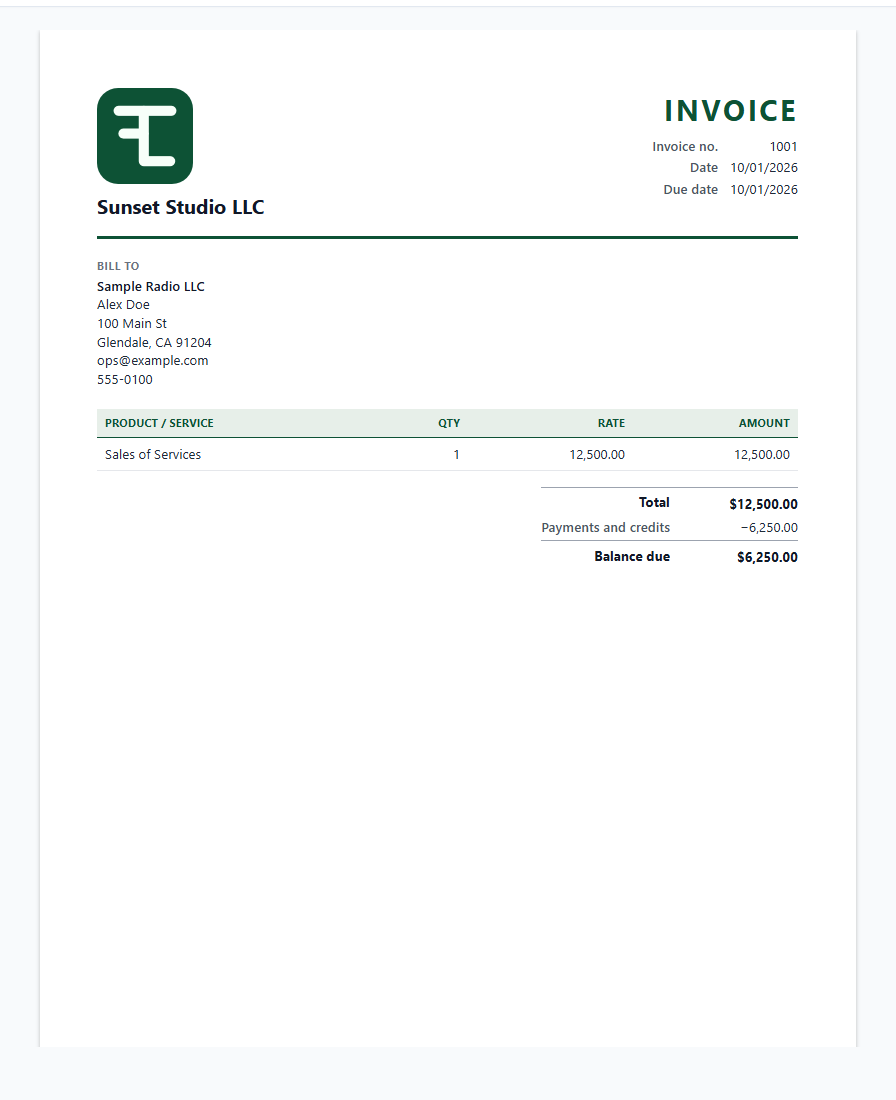
Invoices and bills
Invoices with your logo and sales tax by date and city, bills, payments, credits and refunds. See what customers owe and what you owe, and print or save any invoice as a PDF.
Start from last year’s return
Read the PDF of last year’s Form 1120: balances, income and expenses become your opening entry, every amount on the line it was printed on.
Cash or accrual
Keep the books on either basis and switch any report between them.
Your accountant, invited
Owners, bookkeepers, accountants and viewers, each with their own login and role.
Every change kept
Full history on documents, restore an earlier version, and an audit log of who changed what.
Secure by design
Each company’s books are isolated in the database; two-factor sign-in; tax ID numbers encrypted.
No bank connections
We never ask for your bank password. Statements stay on your computer; only the transactions are saved.
Try everything free for a month.
Full plan, no card. Then stay on Free or keep Full for $10 a month.